



Keeps saved items in step
Kept in step across whichever supported companions you pair with the extension.
Keep Magnetar in step across extension, mobile and My Magnetar.
Pair the Magnetar extension with Magnetar Mobile, My Magnetar or both. Use either pairing on its own, or connect all three to keep saved items, sent history and organised folders in step.
Provider files and folders are never moved, renamed or changed. Provider API keys and client passwords stay local.
The extension is the common connection point. Connect Magnetar Mobile for the Android workflow, connect My Magnetar for your self-hosted browser workspace, or use both companions together.
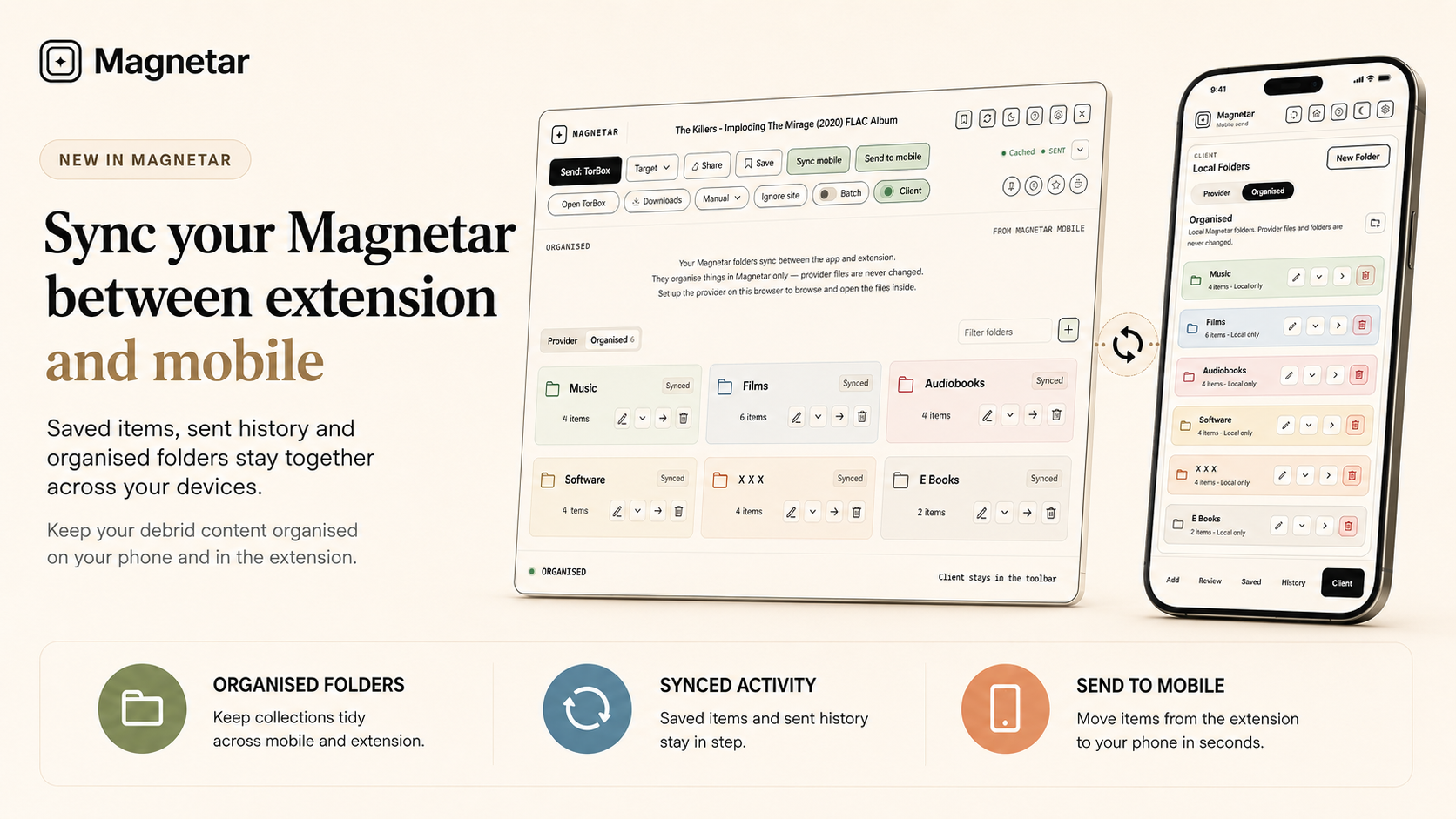
Magnetar Sync keeps Magnetar metadata like saved items, sent history, review items and organised folder metadata in step across the companions paired with the extension. It does not host, store or download provider files.
You do not need all three products. Use extension and mobile, extension and My Magnetar, or pair both companions so extension, mobile and My Magnetar stay synchronised together.
Kept in step across whichever supported companions you pair with the extension.
Kept in step across whichever supported companions you pair with the extension.
Kept in step across whichever supported companions you pair with the extension.
Kept in step across whichever supported companions you pair with the extension.
Kept in step across whichever supported companions you pair with the extension.
Sync only handles Magnetar metadata for products paired with the Magnetar extension.
Sync only handles Magnetar metadata for products paired with the Magnetar extension.
Sync only handles Magnetar metadata for products paired with the Magnetar extension.
Sync only handles Magnetar metadata for products paired with the Magnetar extension.
Sync only handles Magnetar metadata for products paired with the Magnetar extension.
Organised folders help you group items inside Magnetar. They do not change your provider library. Provider files and folders stay exactly where they are.
They can contain items from different supported providers. They do not create folders inside TorBox, Real-Debrid, AllDebrid or Premiumize, and they do not rename, move or delete provider files.
Folder colours and names sync through Magnetar Sync. To browse or open provider items inside a folder, the provider must be configured on that device, browser or app.
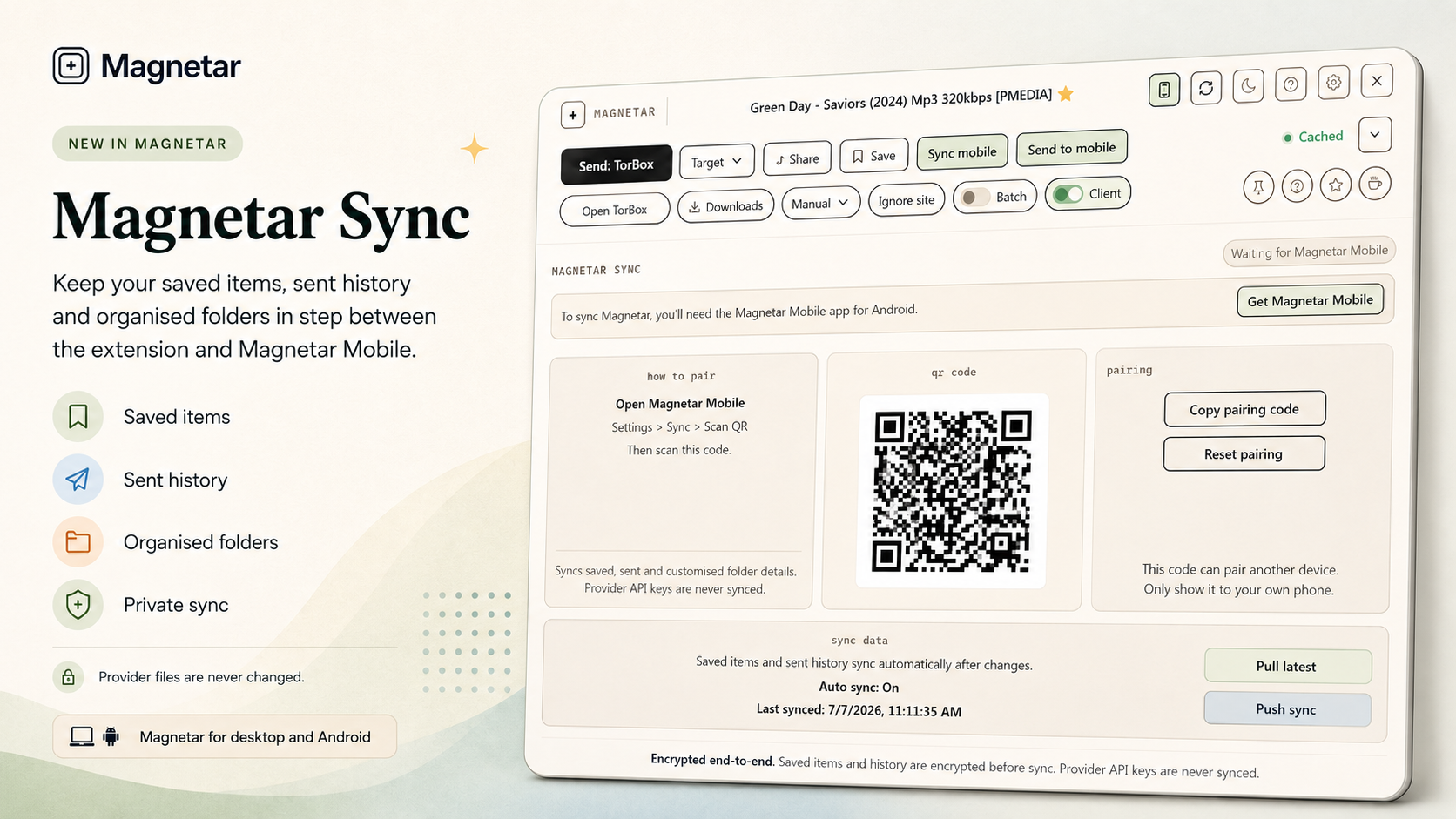
Send to mobile sends an item from the extension to Magnetar Mobile. Batch Send to mobile can send multiple detected items.
Items arrive in the app Review queue, where you can check them before saving, sending or browsing. This requires Magnetar Sync pairing.
Send to mobile is for moving Magnetar finds from desktop to phone without losing context.
Airlock is controlled by TorBox. Magnetar simply gives you a quicker way to use it for supported TorBox items.
Airlock appears in TorBox provider lists and supported organised folder items. TorBox is the authority for Airlock status, so changes are visible on another device after refreshing TorBox there.
This does not use Magnetar Sync as the authority. Magnetar uses your local TorBox API key and does not use TorBox website cookies or session scraping.
Soft green marks Magnetar Sync, mobile and organised-folder actions. Provider send actions stay separate.
Synced Magnetar data is encrypted before it reaches the server. The sync server stores encrypted Magnetar metadata only.
Refresh the extension and app, then create or show the pairing QR again.
Use Pull sync on the device that is missing changes.
Set up the same provider locally on that browser or device.
Provider keys are local, so each device needs its own provider setup.
Refresh TorBox on that device. TorBox is the authority for Airlock state.
No. The extension works on its own and can sync with Magnetar Mobile, My Magnetar or both. Magnetar Mobile is only required for mobile Review and the Android app workflow.
No. The Magnetar extension is the common connection point. Pair it with Magnetar Mobile, pair it with My Magnetar, or pair both companions so all three stay in step.
No. They are Magnetar folders. They do not change folders or files inside your provider.
The provider for that item may not be set up on this device. Provider keys stay local, so each device needs its own provider setup.
No. Provider API keys and client passwords stay local.
No. Airlock is TorBox state. Magnetar reads and updates it through TorBox when TorBox is configured locally.
It sends items from the extension to Magnetar Mobile's Review queue.
Open Magnetar Mobile help for setup, Settings > Sync, Review, provider setup and troubleshooting.
Use Magnetar in your browser for desktop detection, sending, saved items and provider browsing. Add Magnetar Mobile for Android Review and mobile workflows. Add My Magnetar for a self-hosted browser workspace. Pair both when you want all three products to stay in step.
Magnetar browser extension Magnetar Mobile My Magnetar Privacy